Tattoo AI - Tattoo Design
- 4.0
- Rating
- 5.00M
- Installs
- Free
- Price

 Analysis by App-foxy
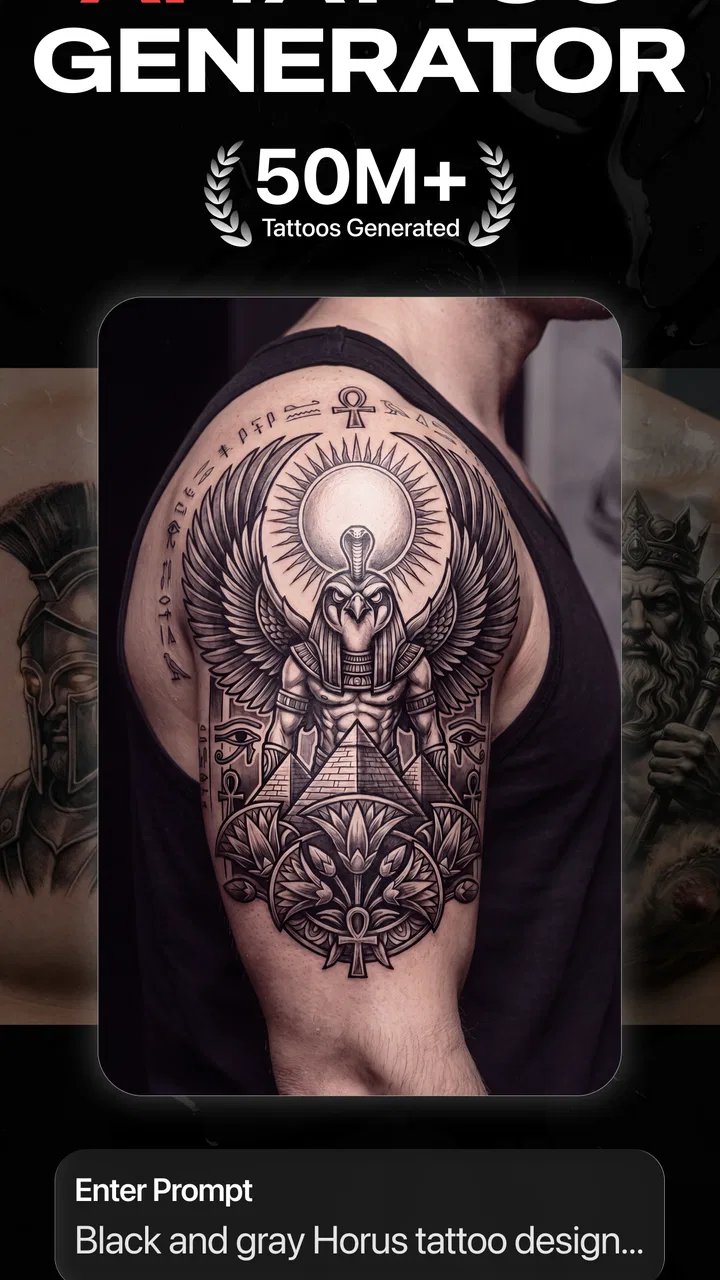
I approached Tattoo AI - Tattoo Design as a sketchbook companion rather than a replacement for a tattoo artist, and that distinction shaped my opinion from the start. The app takes a rough idea, a theme, or a visual mood and turns it into possible tattoo concepts. That makes it useful at the earliest stage, when you know you want something but cannot yet explain its shape, placement, or style.
My overall impression is positive, with an important condition: this is best used for exploration, not for producing a final stencil without human refinement. It is a free art and design app from HubX, aimed at people who want fast inspiration on a phone. Its average rating is 4.3 from roughly 269 thousand ratings, and it has passed 5 million installs, so it clearly appeals to a large audience. I can understand why, although the creative results still need judgment.
What the app does well when an idea is still vague
The most convincing part of the experience is how quickly it helps turn an abstract thought into something visible. A phrase such as a moon, a family symbol, a favorite animal, or a personal memory can be difficult to communicate through words alone. An AI-generated image gives you a starting point that you can react to: I like this line work, I would remove that detail, or the whole composition feels too heavy.
You May Also Like

 Blood Strike: 2.5 Anniversary
Blood Strike’s Loadouts Turn Every Drop Into a Tactical Gamble
A close look at Blood Strike’s custom loadouts: how fast access to signature weapons reshapes its battle royale rhythm, rewards preparation, and narrows the gap between fights.

 Pandora - Music & Podcasts
Pandora’s Music Is Easy to Start, but Harder to Recover
Pandora’s strength is its low-effort path from a seed to a station. Its weak spot is how much confidence it asks you to place in connection, setup, and quiet recovery.

 8 Ball Pool
 Is Built on Rivalries, Rematches, and Routine
A close look at the rivalries, rematches, shared routines, and unanswered safety questions that turn a quick pool match into a persistent mobile community.

 Samsung Music
’s Quiet Strength Is Playing What You Already Own
Its reach comes less from spectacle than from dependable access to a personal library. That simplicity is both the app’s strongest retention engine and its ceiling.

 AccuWeather: Weather Radar
AccuWeather Review: A Quick, Clear Forecast for Everyday Decisions
For everyday plans, the best forecast is the one you can understand quickly. AccuWeather makes rain timing, radar, and local conditions easy to act on, with a few trade-offs.

 Hill Climb Racing
Why Hill Climb Racing Still Turns Crashes Into One More Run
A tiny car, a bumpy hill and one more upgrade: Hill Climb Racing keeps resurfacing because its simple chaos makes every near-miss feel personal.
More From Our News Desk



That reaction process is more valuable than treating the first image as a finished design. I found the app most helpful when I used each result as a question rather than an answer. Does the subject work better as a small emblem or a larger composition? Would a blackwork approach suit it better than a delicate style? Does the design still make sense when reduced to a simple silhouette? Those are decisions the app can prompt, even when it cannot make them for you.
The app’s focus is narrow in a good way. Instead of becoming a general drawing suite with layers, brushes, and a complicated workspace, it concentrates on tattoo concepts, ideas, and stencil-oriented inspiration. That makes it easier for a first-time user who does not want to learn a full illustration program before seeing a direction.
It also works well for comparing several visual interpretations of the same thought. Someone planning a botanical tattoo might want to see whether the idea feels more elegant as a fine-line arrangement, more graphic as a bold emblem, or more dramatic with ornamental elements. Generating alternatives can reveal which part of the concept matters most before a consultation.
A practical everyday scenario is easy to imagine. I might be considering a small tattoo for my forearm but only have a few disconnected ideas: a bird, a meaningful date, and a preference for clean shapes. Rather than searching through countless unrelated images, I could use the app to create a handful of directions, save the ones that feel closest, and bring those references to a tattoo artist. The artist would still redraw and adapt the concept, but the conversation would begin with something concrete.
Why the quick visual feedback matters
Speed changes the way I think about creative choices. On paper, I might spend a long time trying to draw a symbol I cannot properly sketch. Here, the first visual response encourages immediate editing of the idea itself. If a result looks too ornate, I can simplify the request. If it feels generic, I can add a personal object, a setting, or a more specific emotional tone.
That makes the app particularly approachable for people who are not confident artists. You do not need to know how to draw a convincing rose, skull, dragon, or portrait before exploring possibilities. The app gives you visual material to critique, which is often easier than creating a blank-page drawing from nothing.
There is also a useful distinction between inspiration and imitation. Browsing existing tattoo galleries can help with style, but it can also lead to copying a design that belongs to another artist or wearer. Generating a concept from your own description encourages a more personal starting point. I would still avoid presenting an AI image as an original finished artwork, but it can help move an idea away from a vague reference board.
One tip I found important is to describe the subject and the intended feeling separately. A prompt focused only on an object can produce a technically recognizable image that has no personality. Adding the mood, visual weight, and preferred level of detail gives the concept more direction. I would also keep the first request relatively focused, then adjust one element at a time. Changing the subject, composition, style, and symbolism all at once makes it harder to understand why a result improved or became worse.
Using generated designs as consultation material
The strongest workflow is not “generate, download, tattoo.” It is “generate, compare, annotate, consult.” I would select a few different directions instead of taking one attractive image as final. Then I would mark the features I want to keep and the ones I want removed before showing them to a professional.
This matters because an image that looks good on a phone may not translate well to skin. Tiny gaps can disappear, delicate lines can age differently from what the screen suggests, and a composition may not follow the natural movement of an arm, shoulder, rib, or ankle. A tattoo artist understands those physical constraints far better than an image generator.
For that reason, I see the stencil-making aspect as a useful bridge between imagination and discussion, not as a guarantee of tattoo-ready precision. The app can help me communicate a direction, but the final stencil should be assessed and adapted by someone who understands needle depth, spacing, placement, and long-term readability.
A second non-obvious use is comparing the same concept at different levels of visual complexity. I would deliberately ask for a restrained version and a more detailed version, then look at them side by side. This exposes whether the idea depends on decoration or whether its central symbol is strong enough to stand alone. That is especially helpful for a first tattoo, where a simpler design may remain clearer and easier to place.
The limits I noticed in the creative process
The main weakness is that AI inspiration can look more finished than it really is. A polished image may create false confidence, especially for someone who has never commissioned a tattoo. The design can appear balanced in a digital frame while being awkward for the chosen body area or too detailed for the intended size.
Results can also feel conventional when the request is broad. Familiar tattoo subjects naturally lead toward familiar visual patterns, so a generic prompt may produce something attractive but not particularly personal. The responsibility for adding meaning remains with me. I get better value when I bring a specific story, unusual combination, or clear restriction instead of asking for a random cool tattoo.
Another limitation is that experimentation can become repetitive. If I make many similar requests without changing the underlying idea, I may receive variations rather than genuine creative alternatives. The solution is to change the design problem, not just the wording. I might switch from a detailed scene to a symbolic mark, ask for a composition built around negative space, or remove secondary objects entirely.
The free entry point is welcome, but the app includes in-app purchases ranging from $5.99 to $99.99 per item. That is a significant range, and it means I would pay attention to what is available before becoming dependent on a particular workflow. For casual inspiration, the free access may be enough for some people; for heavier experimentation, the purchase structure deserves careful consideration.
I also would not choose this app as my main tool for precise manual illustration. Someone who wants complete control over every curve, layer, proportion, and adjustment may be happier with a dedicated drawing application. A professional tattoo artist may likewise prefer to work from their own sketches and reference material. This app is strongest before that stage, when the goal is to discover a direction rather than execute a technically exact final piece.
Small habits that make the results more useful
My first recommendation is to define the non-negotiables before generating anything. These might include a subject, approximate placement, a preference for bold or delicate lines, and whether the design should remain readable at a small size. Without those boundaries, it is easy to collect attractive images that do not suit the actual tattoo plan.
Second, I would judge silhouettes before details. I can mentally blur a generated image or look at it from a distance to see whether its main shape still works. If the design only succeeds because of tiny decorative marks, it may be a poor candidate for a small tattoo. This simple check is more revealing than zooming in on every ornamental feature.
Third, I would keep a short written note beside each favorite concept. Instead of saving images without context, I would record what I liked: the angle of the subject, the open space, the mood, or the balance between dark and light. That prevents the consultation from becoming “make it like this picture” and turns it into a clearer explanation of personal preferences.
Fourth, I would test emotional durability. A design can be visually impressive today but disconnected from the reason I wanted a tattoo in the first place. If the app produces an image that looks stylish but says nothing about my story, I would treat it as a style reference rather than a final direction. The best result is not always the most elaborate one; it is the one that remains meaningful after the novelty fades.
Who should use it, and who should look elsewhere?
I think this app is a good fit for first-time tattoo customers, people who struggle to explain visual ideas, and anyone collecting concepts before speaking with an artist. It is also useful for a person who has a clear subject but is undecided about presentation. The ability to explore several interpretations can make a consultation more efficient and less intimidating.
It may suit creative users who enjoy iteration as well. I like the app more when I treat it as a visual brainstorming partner, because its value comes from the back-and-forth between an idea and an image. If I only want one perfect result immediately, I am likely to be disappointed by the need for selection and refinement.
I would recommend skipping it if the goal is a guaranteed original, technically finished tattoo file. I would also look elsewhere if I need detailed hand control, professional vector editing, or a full illustration workflow. A conventional drawing app is better for constructing exact geometry, while a direct consultation with a tattoo artist is better for placement, skin suitability, aging, and safe execution.
Parents and younger users should also note that the content rating is Teen. That is worth considering when deciding whether the app is appropriate for a shared device or a younger family member. The app is free to install, but the available purchases mean I would also review spending controls before letting someone else experiment freely.
Device and app details worth knowing
The app was released on July 18, 2024, and the current version is 1.6.7. It supports devices running Android 7.0 or later, which gives it a relatively broad reach for Android users with older phones. Those details make it easier to decide whether it belongs in a quick planning session on an existing device rather than requiring new hardware.
HubX has positioned it clearly within art and design, and that focus comes through in the experience. It is not trying to be a social network, a tattoo booking service, or a replacement for professional work. I appreciate that narrower purpose because it keeps the central question simple: can this help me discover and communicate a tattoo idea?
The answer is yes, provided I keep the boundaries in mind. The app can help me move from a blank page to a visual conversation. It cannot decide whether a design will age well, whether a particular placement is practical, or whether an artist can safely reproduce every detail. Those decisions belong outside the generated image.
My final recommendation
After using it as an idea-development tool, I would recommend Tattoo AI - Tattoo Design to anyone who wants a fast, approachable way to explore tattoo concepts before meeting an artist. Its best quality is not that it magically creates a finished tattoo; it is that it gives uncertain ideas enough shape to be discussed, compared, and improved.
The meaningful trade-off is convenience versus control. You get quick visual possibilities without needing drawing skills, but you also have to filter generic results, watch for unrealistic detail, and resist treating a digital image as a final stencil. The purchase range from $5.99 to $99.99 per item also makes it sensible to begin cautiously and decide whether the app fits your actual planning habits.
For me, the right verdict is clear: use it as a creative starting point, especially when you need help finding a style or explaining a personal concept. Bring the strongest ideas to a tattoo professional, ask for a proper redraw, and let the artist adapt the design to your body and long-term needs. Its real strength is turning hesitation into a better conversation, not replacing the conversation itself.
FAQs for Tattoo AI - Tattoo Design
01What features does Tattoo AI offer for designing tattoos?
Tattoo AI provides a range of features designed to make tattoo creation easy and fun. Users can choose from a vast library of pre-made designs, customize them, or generate entirely new designs using AI technology. The app also offers tools for adjusting size, color, and placement to visualize how a tattoo will look on your skin.
02Is Tattoo AI suitable for professional tattoo artists as well as beginners?
Yes, Tattoo AI caters to both professional tattoo artists and beginners. Professionals can use the app to sketch ideas and present them to clients, while beginners can explore creative designs without needing advanced skills. The user-friendly interface and AI assistance make it accessible to all skill levels.
03Does Tattoo AI provide any social or community features?
Tattoo AI includes social features that allow users to share their designs with a community of tattoo enthusiasts. Users can browse, like, and comment on others' designs, offering inspiration and feedback. This creates a collaborative space where ideas can flourish and users can connect with like-minded individuals.
04Are there any costs associated with using Tattoo AI?
Tattoo AI offers a free version with basic features, but also provides premium subscription options that unlock additional tools and design libraries. The premium version includes more customization options and advanced AI features, providing more flexibility and creativity for serious users.
05How does Tattoo AI ensure the security and privacy of user data?
Tattoo AI prioritizes user privacy by implementing robust data protection measures. All personal information and design data are stored securely and are not shared with third parties without consent. Users can manage their privacy settings within the app, ensuring peace of mind while exploring their creativity.
Pros
- Wide variety of design styles available.
- User-friendly interface for easy navigation.
- Customizable design options enhance creativity.
- High-quality previews of tattoo designs.
- Regular updates with new design templates.
Cons
- Limited offline functionality.
- Subscription required for premium features.
- Occasional app crashes reported.
- Some designs lack detailed customization.
- Ad presence in the free version.

Tattoo AI - Tattoo Design
Gallery